 HostFog
Your own web server, on your computer.
Apache, Nginx, PHP, MariaDB, PostgreSQL, Redis and Node.js with a HostFog control panel — for Windows, macOS and Linux. Build sites locally, test their email, and share them with HostFog Tunnel.
Pick your computer
HostFog Panel 1.0.0. After installing: Components → Install everything missing, then Start all.
Windows
Windows 10 and 11, 64-bit
If Windows says “Windows protected your PC”, click More info, then Run anyway.
macOS
macOS 11 or newer · Apple Silicon and Intel
Unzip, then drag HostFog Panel into Applications. The first time, Control-click the app and choose Open.
Linux
Ubuntu, Debian, Mint · Raspberry Pi · any Linux
Install with sudo apt install ./hostfog-panel_1.0.0_amd64.deb. Other Linux: unpack the .tar.gz and run ./install.sh.
Check your download (SHA-256)
| File | Size | SHA-256 |
|---|---|---|
| HostFog-Panel-1.0.0-Windows-Setup.exe | 6.2 MB | 3b2651271f44ebc5347ae4eb613ed2fff16062d74cf1dcdef8a0b58bf2939cf1 |
| HostFog-Panel-1.0.0-Windows-portable.zip | 7.8 MB | 6f22623e0a4c56b6e07bdecfc8a6dd6f8da2f1b53e1d201d5fc13f295ec93c6c |
| HostFog-Panel-1.0.0-macOS.zip | 7.2 MB | 18c5f5fc9d2f4372e19f584a20fe9c996122f850b4f06046d852edc8ebcb952e |
| hostfog-panel_1.0.0_amd64.deb | 3.1 MB | acfee2318f25f0753b0235adfc33cbfcb7b78629cffe3d02765ca93d5159d69e |
| hostfog-panel_1.0.0_arm64.deb | 2.8 MB | 6fae84de14f3cd5f5dfb05d11d38fef350131cb852b70bd819e2abe33a78f839 |
| hostfog-panel-1.0.0-linux-amd64.tar.gz | 3.7 MB | 5555d2b0ae30ea8981470531960340a399e635d61783928d96c8353b68d4e1b4 |
| hostfog-panel-1.0.0-linux-arm64.tar.gz | 3.3 MB | a2fdd0a66b1706d0500ae5723b0d908ee44f680c8d902a77aeb71f2996cd5c73 |
All checksums in one file: SHA256SUMS.txt
© HostFog Ltd. All rights reserved. Third-party notices come with the app.
Everything for building websites locally
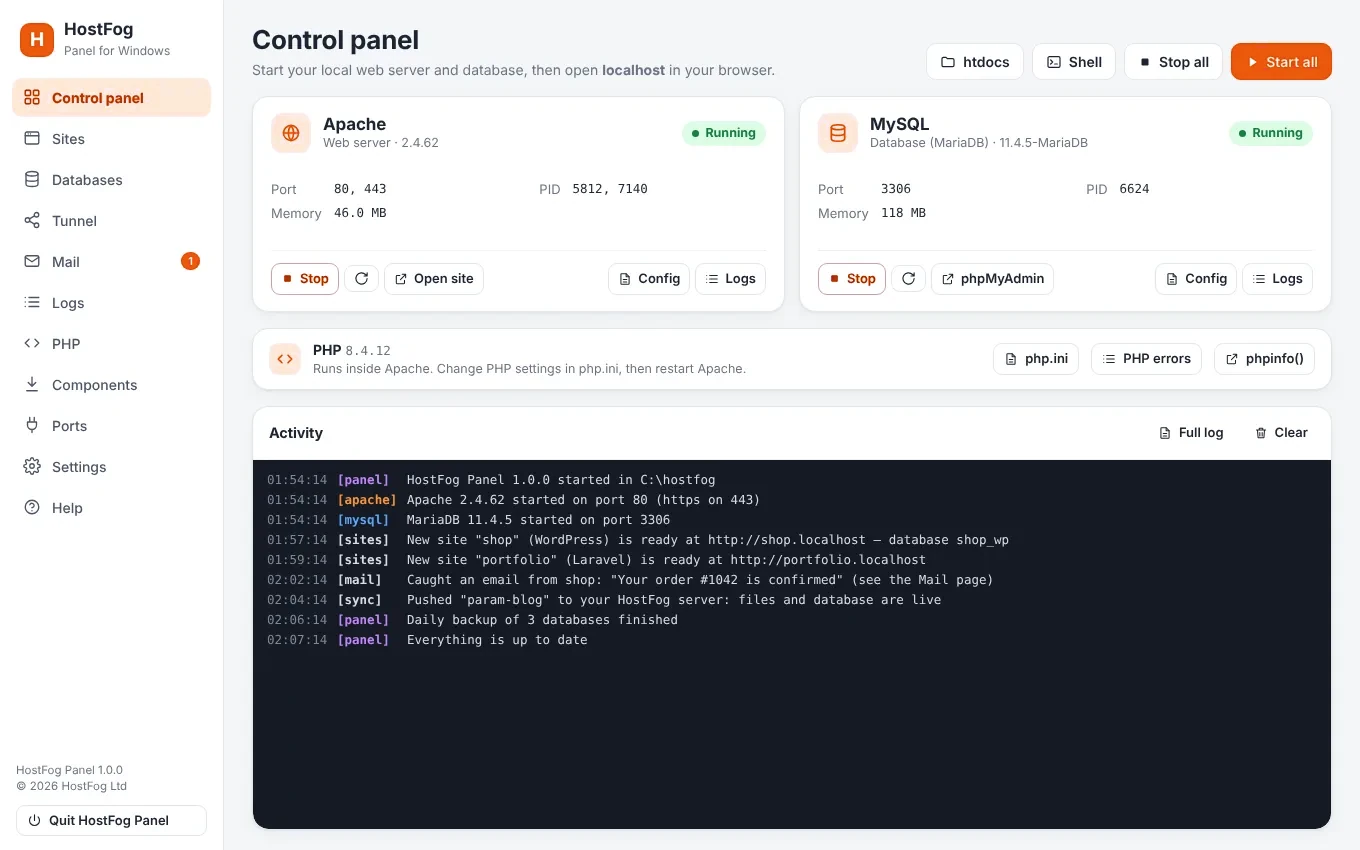
Start and stop in one click
Apache and MySQL (MariaDB) with their ports, memory and logs — and phpMyAdmin a click away.
A site per folder
Every folder in htdocs gets its own address like shop.localhost, with HTTPS from your own computer.
New site in one click
WordPress, Laravel, Symfony, CodeIgniter, Drupal, React, Next.js, Vue, Svelte, Astro and more — with the install shown live.
Share with HostFog Tunnel
Give a site a public link through hostfog.io — https://shop.tunnel.hostfog.io, the same every time.
React and Node projects
Run dev with hot reload at name.localhost, npm install and Build in one click — for React, Next.js and Vue.
Mail catcher
Every email PHP sends is kept on the Mail page instead of reaching real people.
Databases & DB Studio
Create, back up and import databases, add users, browse tables and run SQL. Daily backups.
The hostfog command
hostfog start, hostfog new wordpress blog, hostfog share blog, hostfog db … from any terminal.
Stays up to date
New versions of Apache, PHP, MariaDB and phpMyAdmin are found every day; bug fixes install by themselves.
Show a client your local site — at a real address
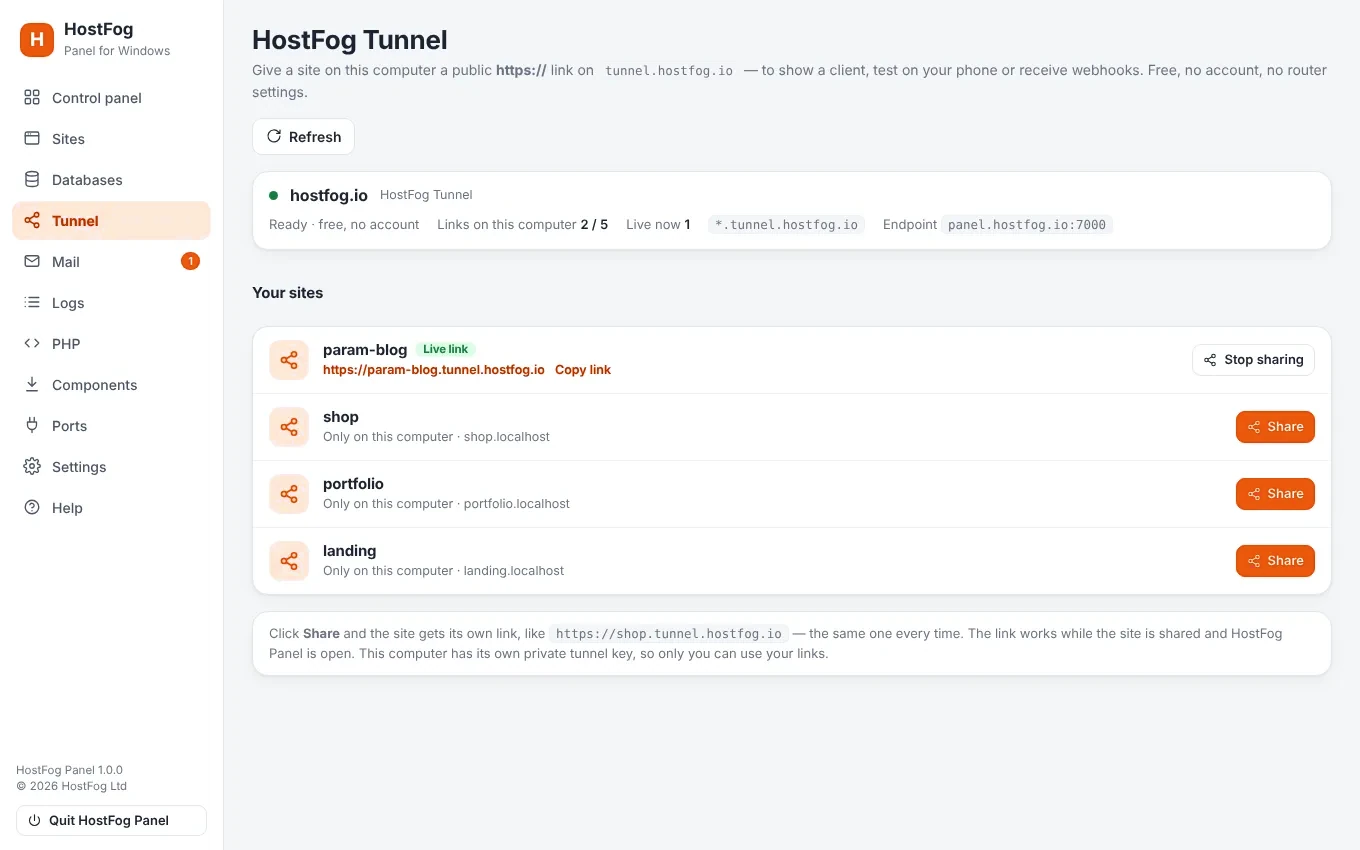
Click Share on a site and it gets a public link through hostfog.io, like https://shop.tunnel.hostfog.io — the same link every time, with HTTPS.
- Open Tunnel (or Sites) in HostFog Panel.
- Click Share on any site.
- Send the link. That's it — free, no account, no API token, no router settings.
Your computer gets its own private tunnel key, so only you can use your links.
The official builds, set up for you
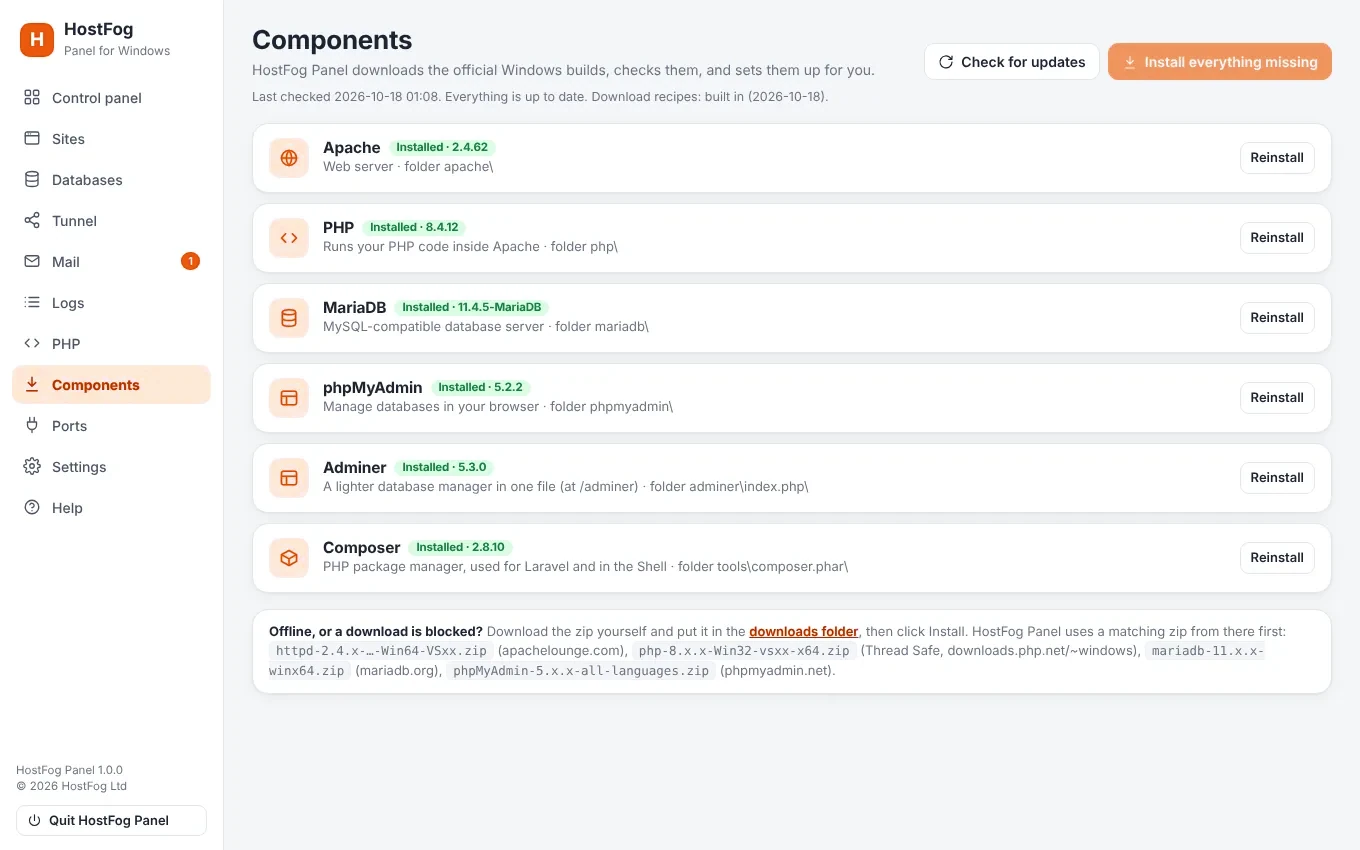
HostFog Panel downloads Apache, Nginx, PHP, MariaDB, Node.js, Redis, PostgreSQL, phpMyAdmin and Composer from their official sources — any version you choose — checks them and sets them up, and keeps them up to date. React and Next.js projects get Run dev with hot reload.
Build locally, go live on HostFog
When a site is ready, upload it to your HostFog hosting with the File Manager, SFTP or Git, and import its database in phpMyAdmin.